Including and excluding former employees
When looking at historic trends, it is sometime helpful to focus on current or former employees in the analysis.
The makeup of an organization changes over time as employees join and leave. When looking at historic trends, it is sometimes helpful to explicitly include or exclude data about former (or current) employees.

- When looking at the Deep Work trend of a team of 5 developers, it might be helpful to only focus on the current employees and filter out team members who are no longer with the company. This will give a measure of the experience of the current team, and how their personal work experience has been changing. This focuses on helping the current team at the individual level.
- When looking at the Deep Work trend of an entire organization, it can be helpful to include data from former employees, as this will give a complete picture of what the organization was experiencing. This can give the big picture view, even if some of those individuals are no longer with the company.
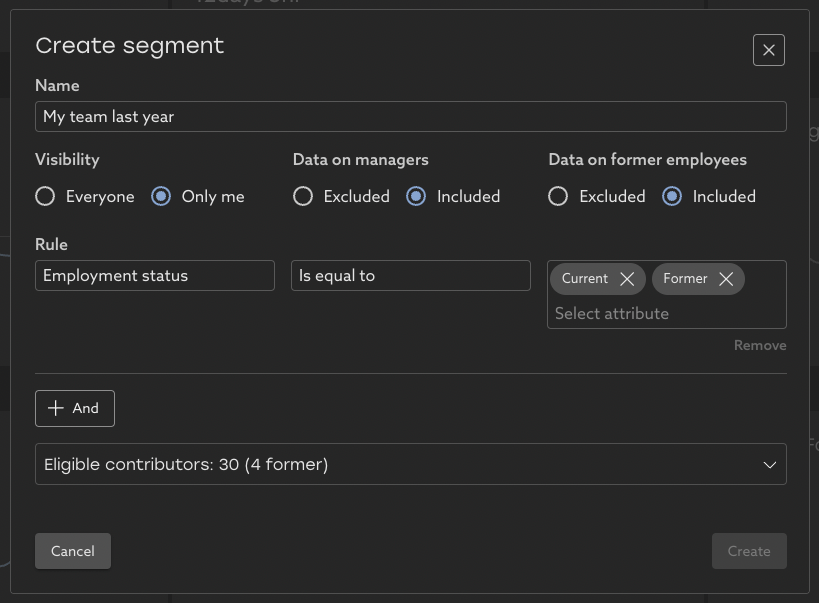
To include or exclude former employees from a view, create a segment and select the appropriate "Data on former employees" option.
- To further narrow the filter to focus only on former employees, add a filter on Employment Status to exclude current employees.
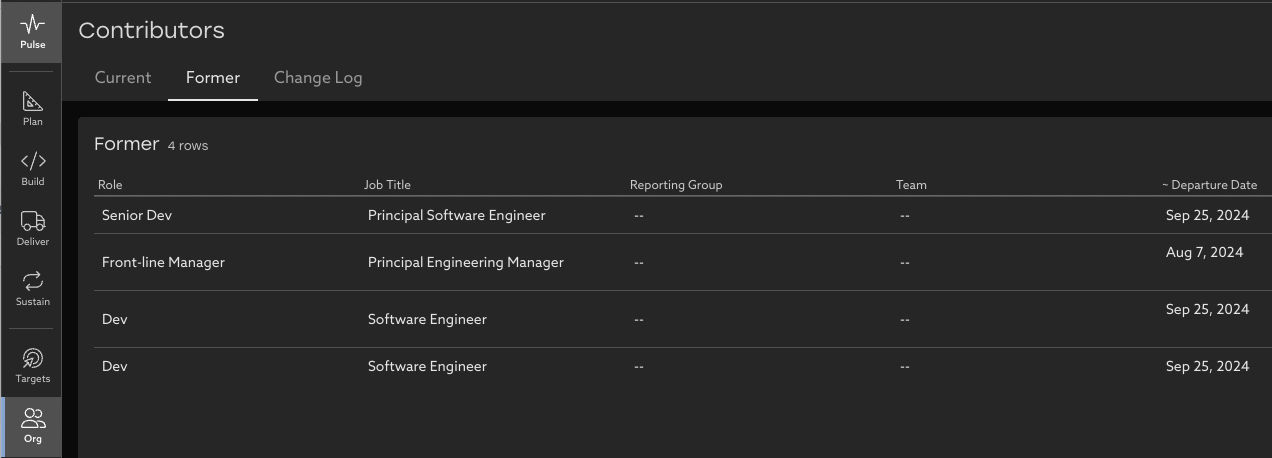
The Org page shows a list of exactly which current and former users are included in the current segment. The approximate departure date of former employees is shown, based on when they were removed from the Uplevel connected org chart.
To change whether former employees are included or excluded by default for your organization, please contact support@uplevelteam.com.
Related Articles
How to create a custom segment
Save a group of people as a segment to focus on their data By default, Uplevel shows data about everyone in your organization, but offers a list of default segments you can pick from to see more detailed groups. Let's create a custom segment with ...Deployment Frequency
What is Deployment Frequency? Deployment Frequency uses your Github Actions data to calculate the number of successful deployments to production a group of people has in a given time period. It is an indication of how frequently and consistently ...How to set a metric target
Set targets for metrics and teams to help drive change in your org. Targets can now be set on any key insights directly within the dashboard. This feature is designed to empower every team to actively participate in setting goals and tracking ...Issue Velocity
Learn about your organization's work completion practices and how they've changed over time. What is Issue Velocity? Issue velocity is a measure of the volume of work a group has collectively completed within a given time period, normalized by the ...Meeting Classifications
How are meetings classified? Uplevel's Meeting Classifier takes into account high-level details surrounding number of participants, meeting titles, and the duration of meetings to provide insights around which kinds of meetings take the most of your ...