Advanced Filtering and Grouping
Find stories in the data with new filtering and grouping tools.
Filtering and grouping options in Uplevel insights allow more powerful options for exploring the data and finding outliers.
Grouping
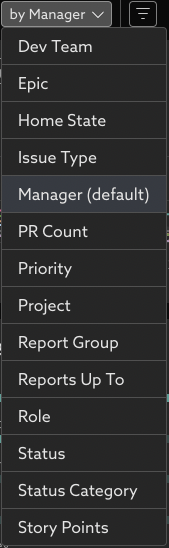
Select groups that make sense for summarizing the trends. Available grouping options include groups of individuals, such as by Manager, Role, or Report Group, or Issue properties such as Epic, or Project.

Filtering
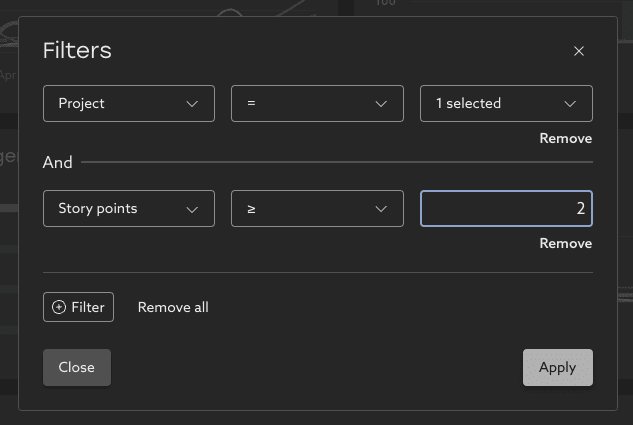
Build your own filters on the data to narrow in on the relevant work.
- It’s possible to focus only on relevant groups. For example, when grouped by team, you can include only teams with a relevant number of issues (Total Issues Closed > 100), or a significant fraction of work being bugs (Bug Rate > 20%).
- Or filter the issues directly to ask questions about specific types of work. For example, look at the bug trends for just work in a particular epic, or just issues marked High Priority.

Drill into the details
Select a row of results (or click View All) to drill-in to the details behind the trends. Here the specific work is shown in detail, and allows further refinement of the filters to understand the patterns behind the work.

Related Articles
Bug Rate
Learn about your organization's bug practices and how they've changed over time. Trend This metric shows the percentage of issues closed during the time period that were bugs. An issue is considered a bug if it has an issue type that contains the ...How to explore your data with "Group by" options
Insights data can be pivoted by key properties in order to view differences between groups. Imagine that Uplevel insights show a high-level trend across all the people in your selected segment. Clicking into the details provides a Table view with ...User Administration
Admins can make updates to their org chart directly in the Uplevel dashboard. One of the primary ways information is organized in the Uplevel Dashboard is based on the teams of people that work together. On a recurring basis, Uplevel imports an ...How to use Uplevel to find velocity opportunities
The first step towards increasing velocity is finding where your biggest opportunities lie. There are a variety of venues through which opportunities in velocity can be found. Note that affecting/changing velocity comes later, and can be explored in ...PR Throughput
Learn about your organizations code delivery practices and how they've changed over time. What is PR Throughput? PR Throughput counts the number of merged PRs a group has collectively authored in a given time period. It is an indication of how ...