How to use Uplevel to find velocity opportunities
| Deployments |
|
| Epics/JIRA |
|
| Code/PR's |
|
Code/PRs
PRs are the smallest chunks of work in your organization. Measuring how quickly these aggregations of work move through the process, can give you a high fidelity view into velocity.
Uplevel's Build Tab provides a drill-in experience for Code/PR velocity. Let's use it to find some opportunities for improvement below.
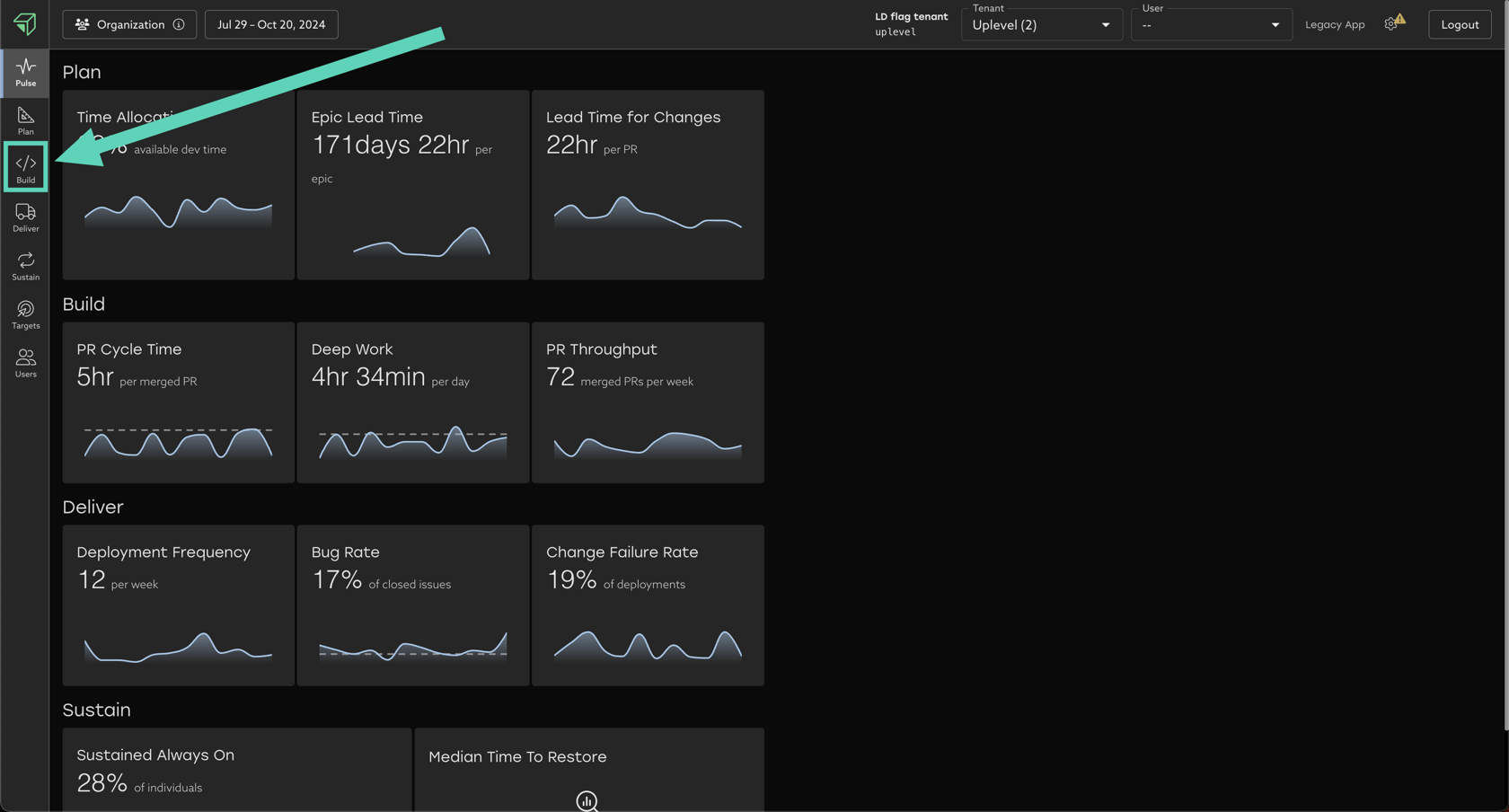
There are 3 toggles in the Build Tab that you can use to look for opportunities:
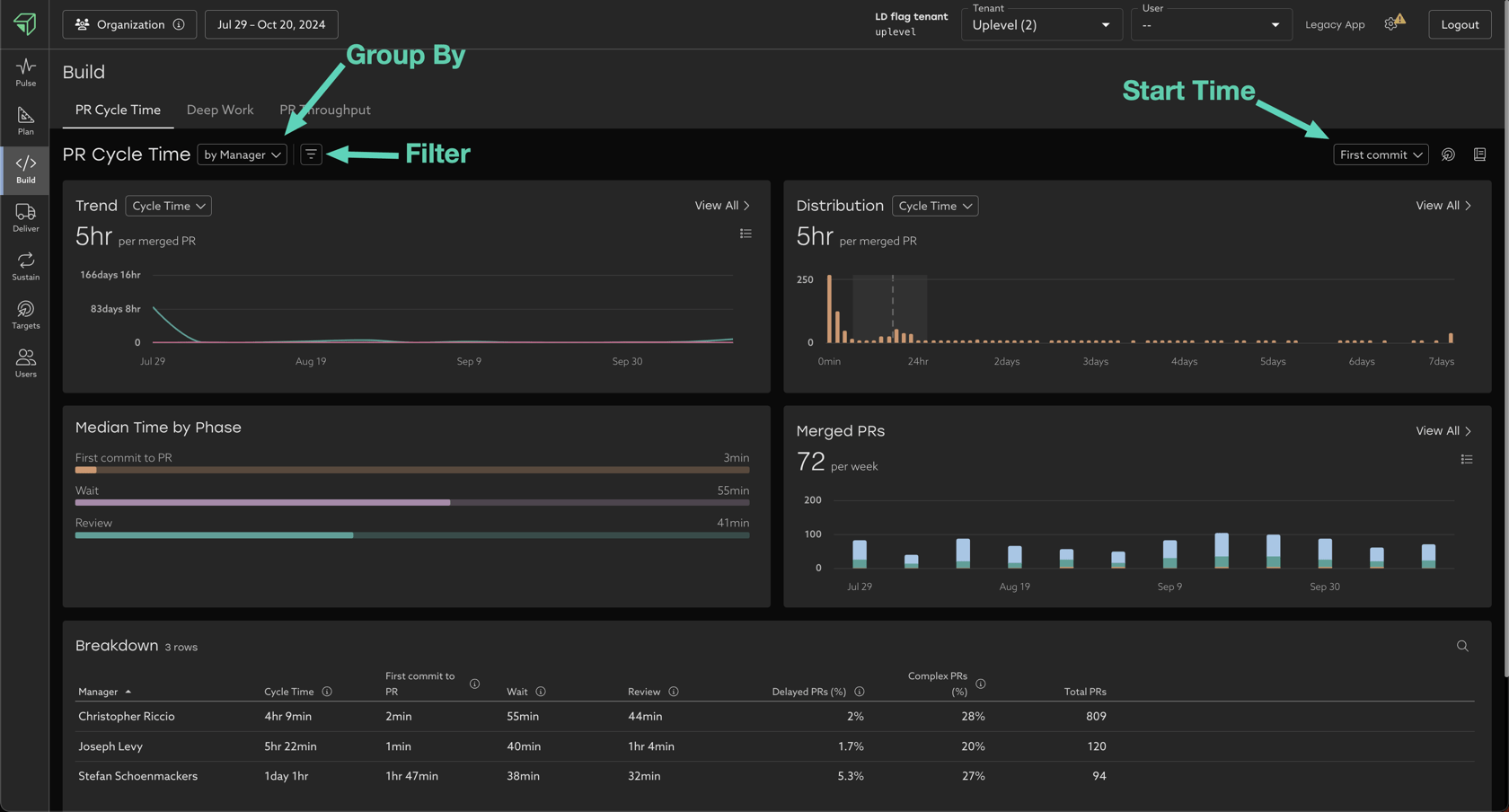
- Group By - Group PR's by different attributes to compare trends.
- Filter - Remove stale PR's, irrelevant repositories, and more.
- Group attribute filters remove entire rows from the breakdown table.
- Ex. filter out all teams that already meet or exceed Uplevel's benchmark.
- User attribute filters remove individual people from your dataset.
- Ex. filter out senior devs.
- PR attribute filters remove individual PR's from your dataset.
- Ex. filter out outliers such as "stale PR's" that took many days or weeks to be merged.
- Start Time - Configure the start of Cycle Time to be either first commit of first activity. More detail on tradeoffs can be found here.
Your goal is to look for "unevenness" across the data, which allows you to begin targeted, data-driven investigations.
Overlaying your context on top of the Uplevel data is key, as only you know all the different ways of working in your organization, and what levels of unevenness may or may not be appropriate.
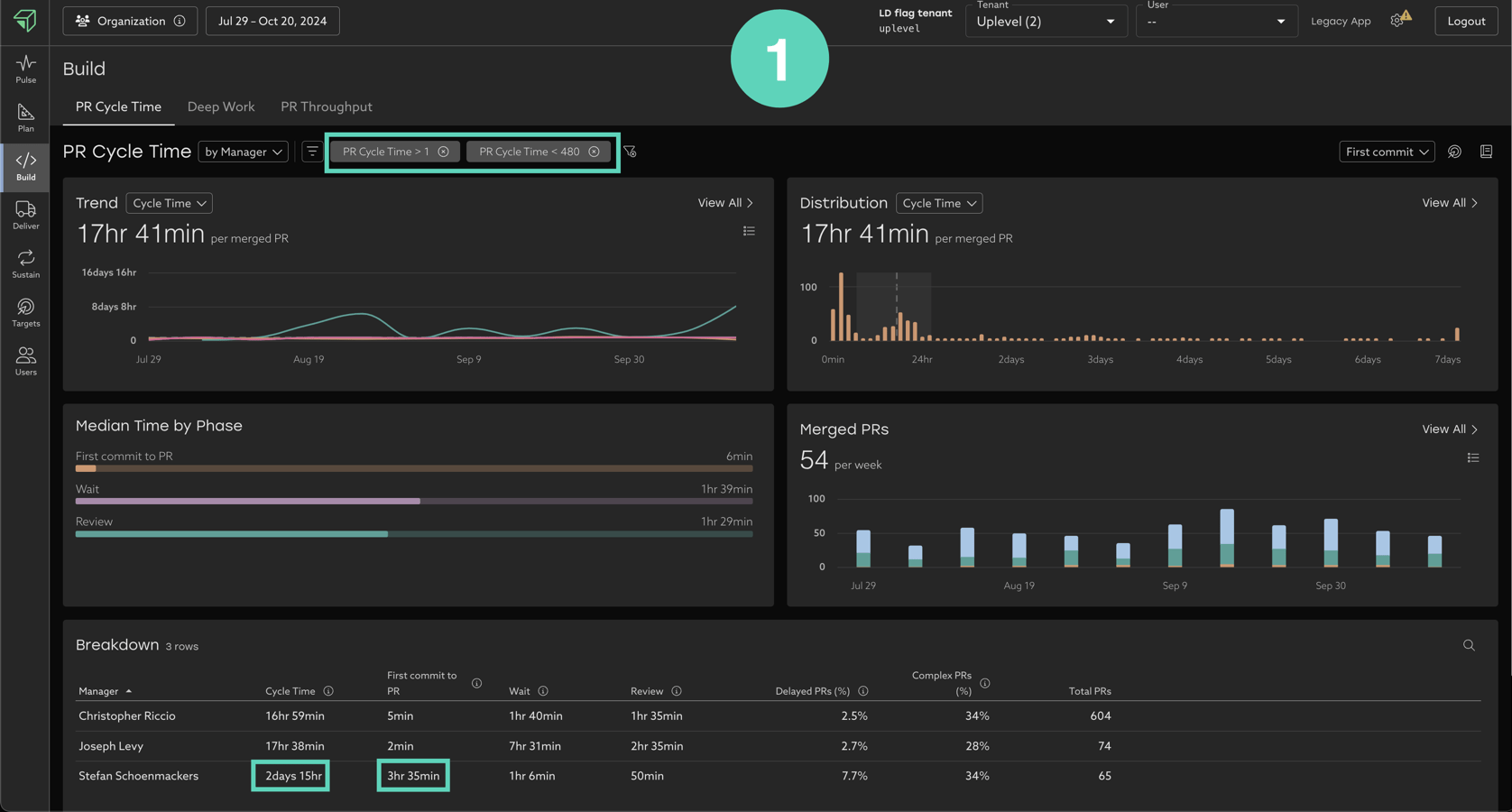
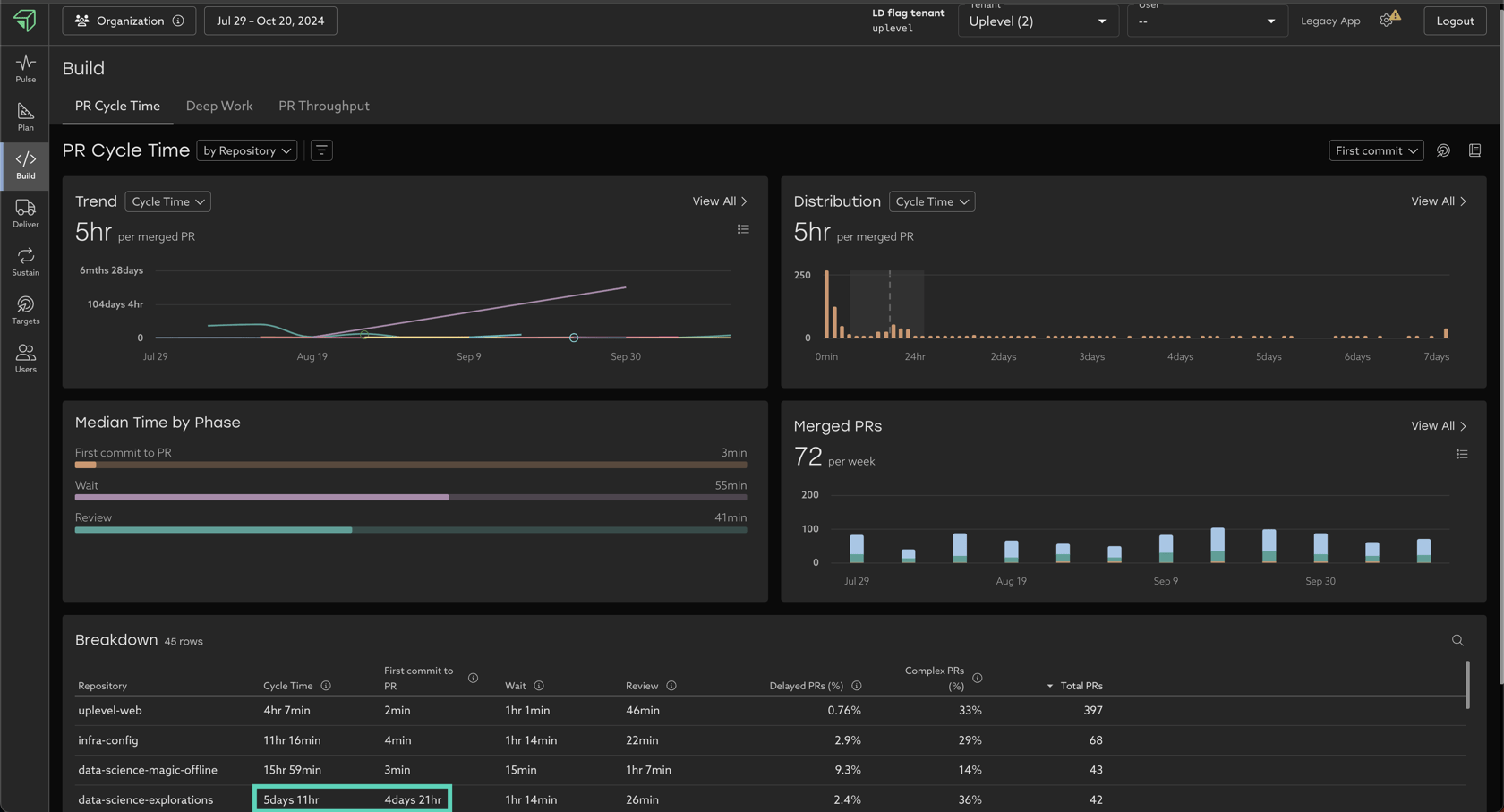
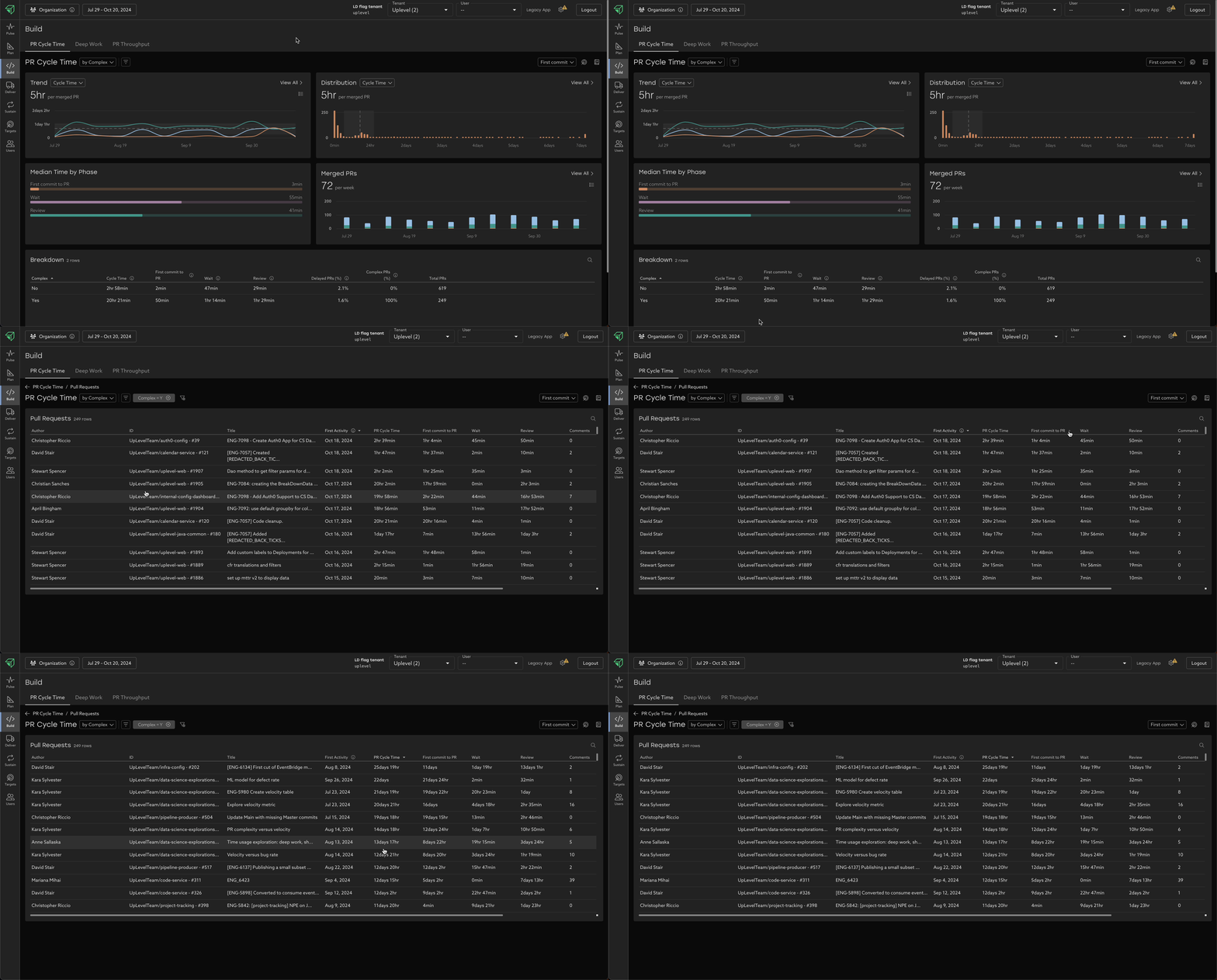
In the below example, for the same group of people and set of dates, altering the group by, filter, and start time inputs uncovers different opportunities to increase velocity:
- By removing the high and low outlier PR's, we reveal that Stefan's team has significantly slower Cycle time than his peers' teams. A lot of this slowness seems to be concentrated in the "first commit to PR" phase. Based on his team's context, this may be an issue.
- Figure 2/3 - By grouping by repository, we reveal that the data-science-explorations repository seems to much slower than this organization's other largest repos. Again, a lot of this slowness seems to be concentrated in the "first commit to PR" phase. Based on his repo's context, this may be an issue.
Epics/JIRA
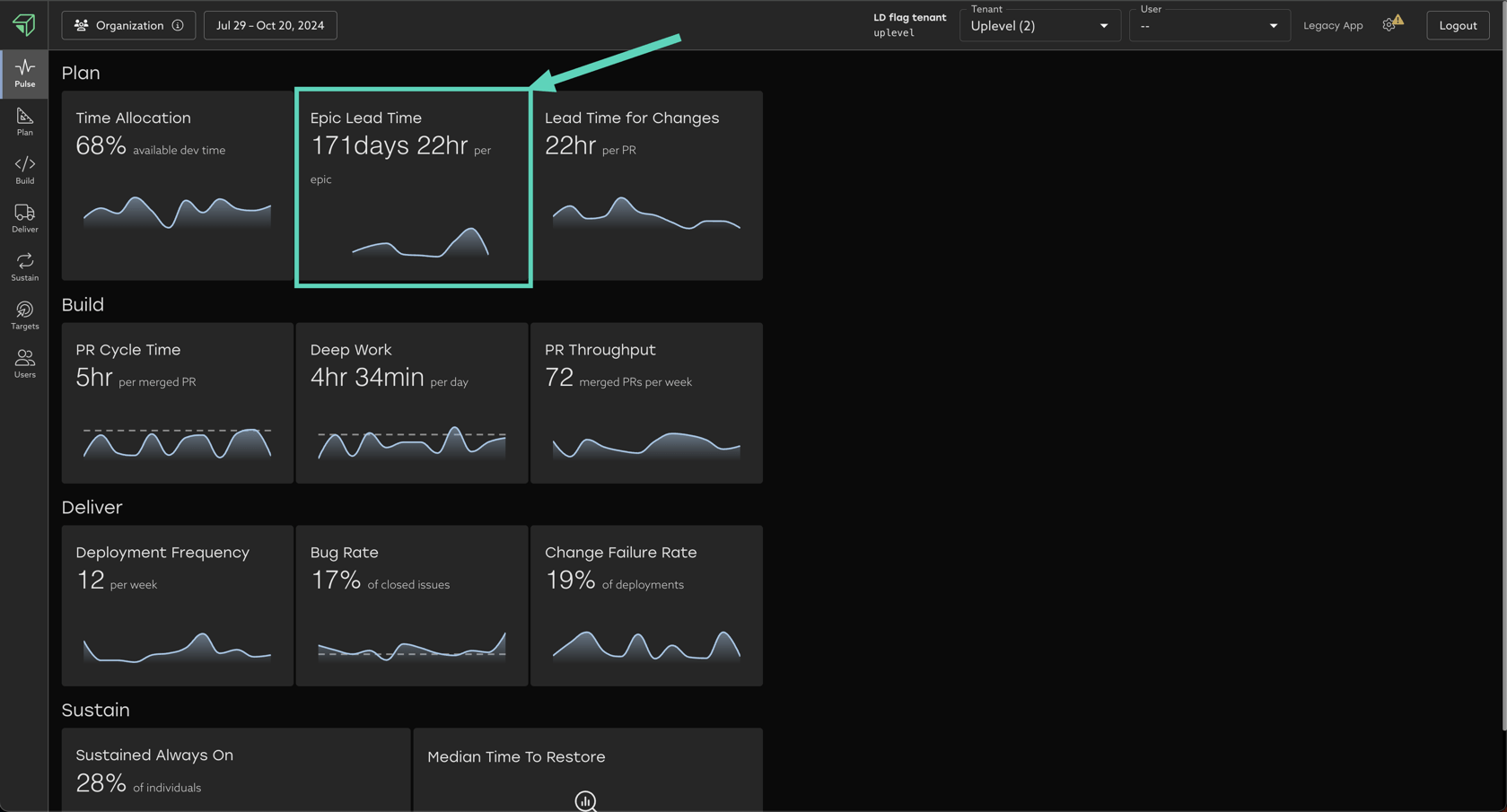
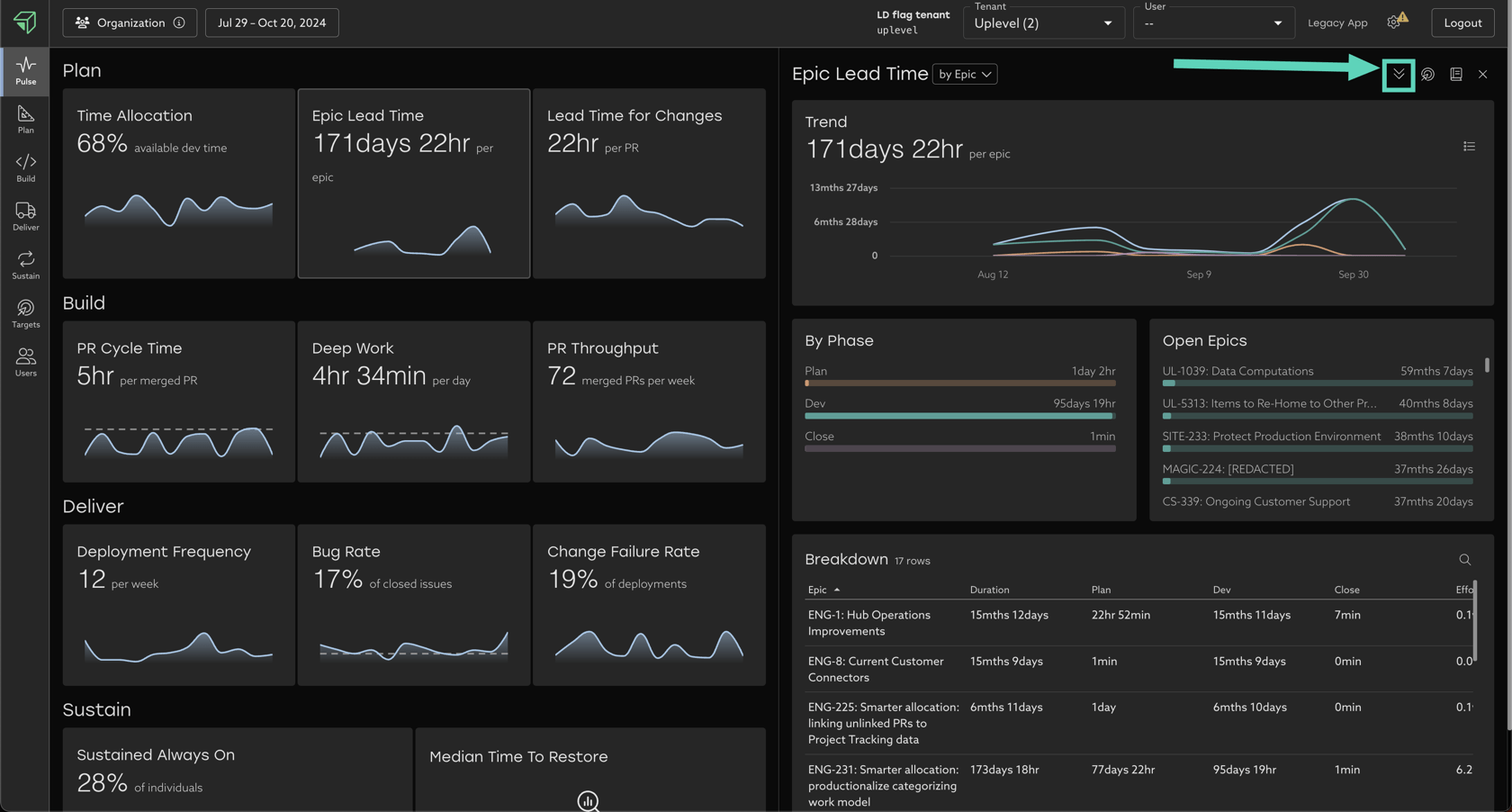
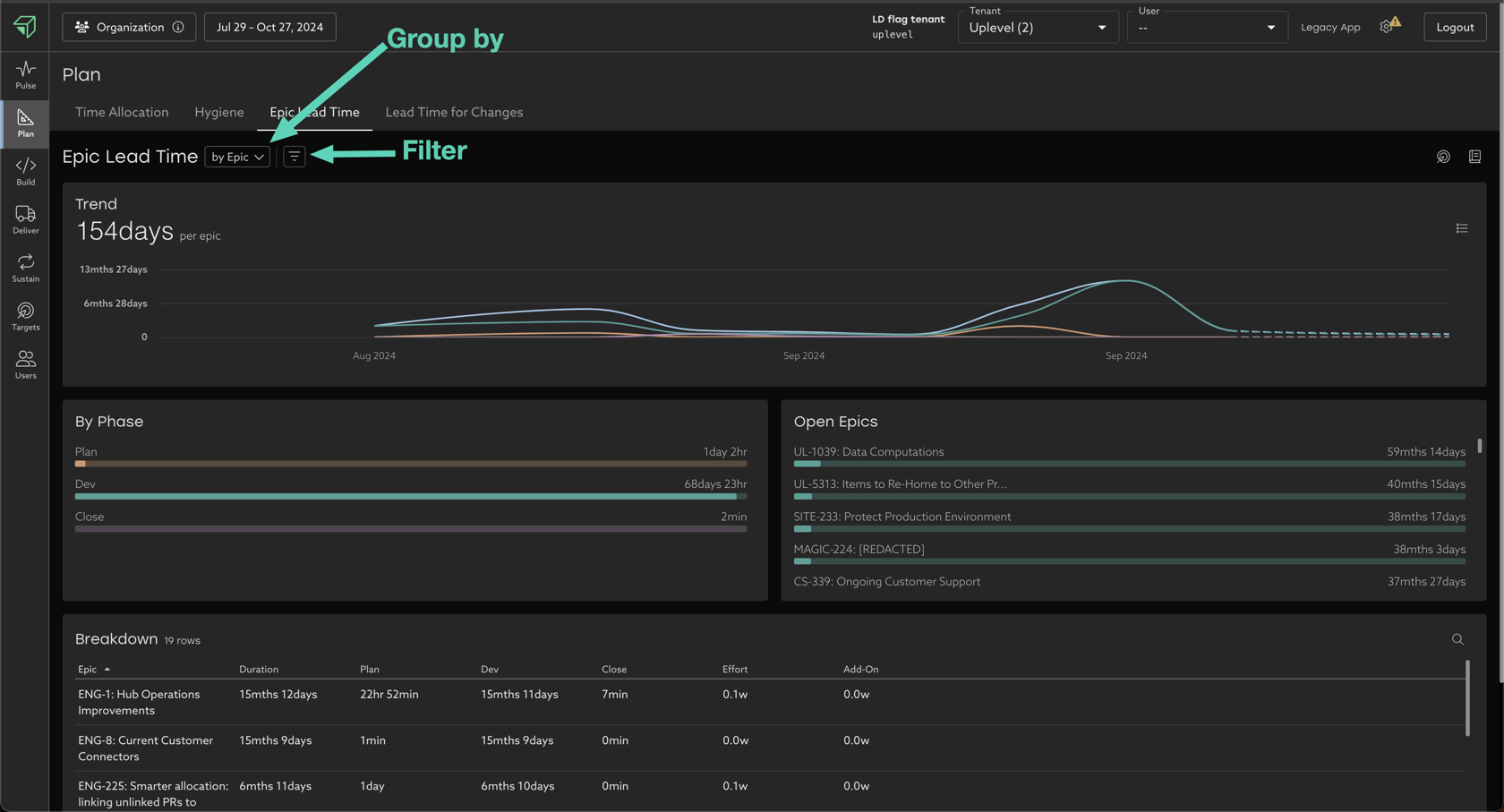
- Group By - Group Epics by different attributes to compare trends.
- Filter - Remove stale Epics, irrelevant projects, and more.
- Group attribute filters remove entire rows from the breakdown table.
- Ex. filter out all epics that already faster than your organization's org-wide median.
- Epic attribute filters remove individual Epics from your dataset.
- Ex. filter out outliers such as "stale Epics" that took more than 100 days to be closed.
Exactly the same as with Cycle Time earlier, your goal is to look for "unevenness" across the data, which allows you to begin targeted, data-driven investigations.
Overlaying your context on top of the Uplevel data is key, as only you know all the different ways of working in your organization, and what levels of unevenness may or may not be appropriate.
Deployments
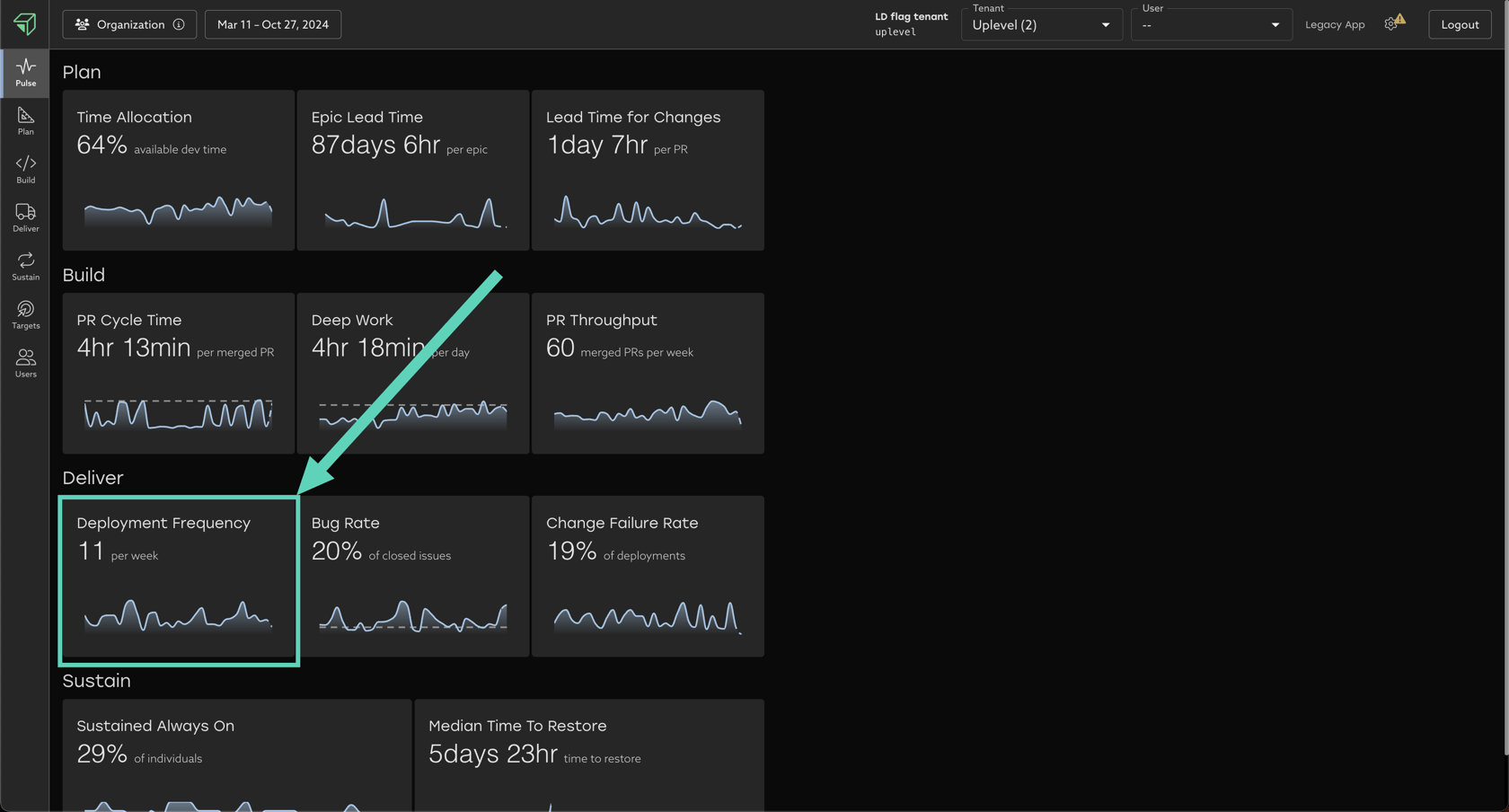
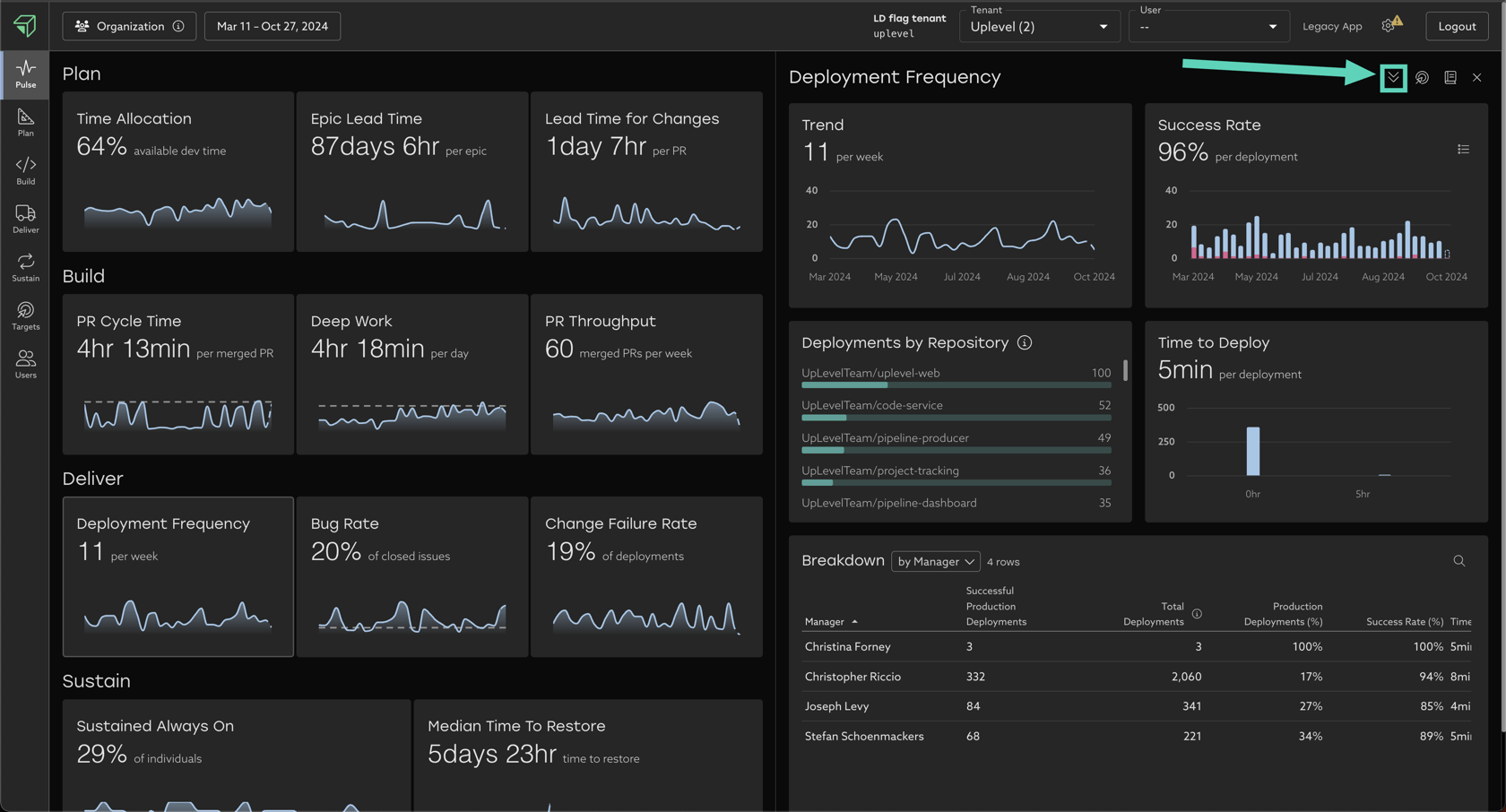
There are no toggles/filters/group by options in Deployment Frequency today. Identical to the examples above, you can explore the Breakdown table at the bottom of the drill-in page to look for unevenness across teams.