Time Period Selection
In addition to tracking changes at the weekly level, it’s now possible to view higher level bi-weekly, monthly, or quarterly trends.
In the time selector, choose desired time frame, and what period of time to report on.
Monthly
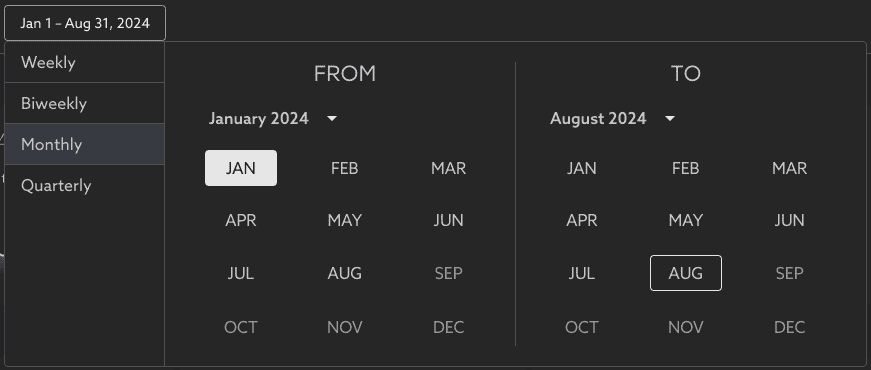
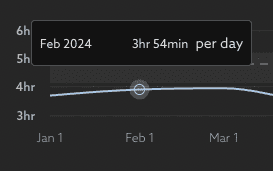
Trend charts will rollup data into the larger or smaller time chunks, making it easy to see how behaviors have changed across different levels of milestones.
Quarterly
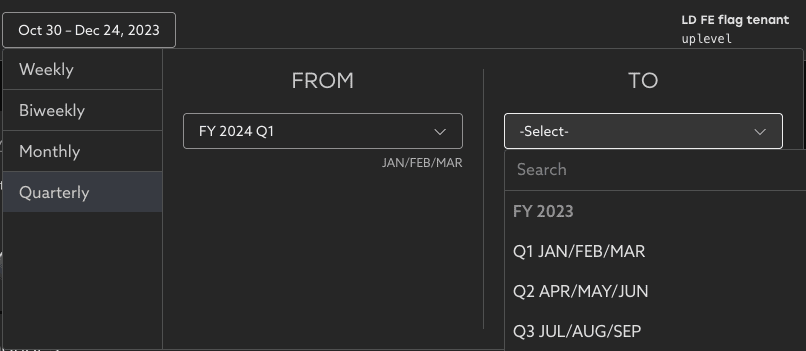
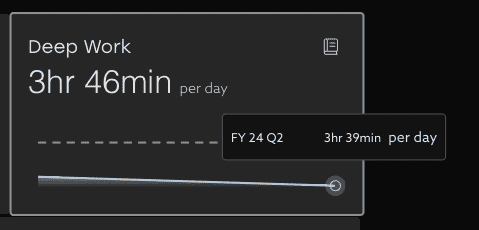
Alternate Fiscal Year reporting - If your Fiscal Year starts in a month other than January, Uplevel can tailor the reports to match your fiscal calendar. Contact support@uplevelteam.com for any changes needed to this configuration.
Incomplete time periods
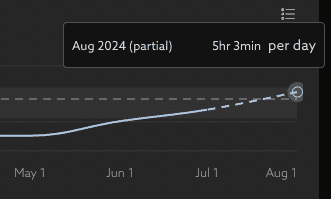
It’s now possible to see in-progress data for an incomplete time period, such as data about the not yet complete month or quarter. This is shown on the trend chart as a dashed line marked “partial” to indicate the time period is still in progress.
Related Articles
PR Cycle Time
Understand the flow of a PR from commit to merge PR Cycle time measures the median time your Pull Requests are in three different stages: Dev, Waiting, and Review. Phase 1: Dev The first phase looks at how long the particular PR was in development. ...Lead Time for Changes
How does Uplevel define Lead Time for Changes? The DORA metric Lead Time for Changes is measured as the median duration of time from first commit until the Pull Request is deployed to a production environment using CI/CD Data. This differs from Cycle ...Understand your team's Lead Time for Changes
Learn how to navigate your organization's Lead Time for Changes data and how you can take action to mitigate risk Trend Learn about your organization by analyzing your Lead Time for Changes trend over time. With this view, you can easily see where ...How to decrease your team's unallocated time
Tips and best practices to get a more complete picture of your organization's investments in Time Allocation Uplevel's Time Allocation metric combines signals from calendar, chat, project tracking (Jira) and version control systems (git) to estimate ...Time Allocation
How does Uplevel calculate Time Allocation for my teams? What is Time Allocation? Time Allocation is a specific Uplevel insight that provides an automated, up-to-date breakdown of where your organization’s time and efforts are spent. As a pivotal ...